Shifts and requests, without the paperwork.
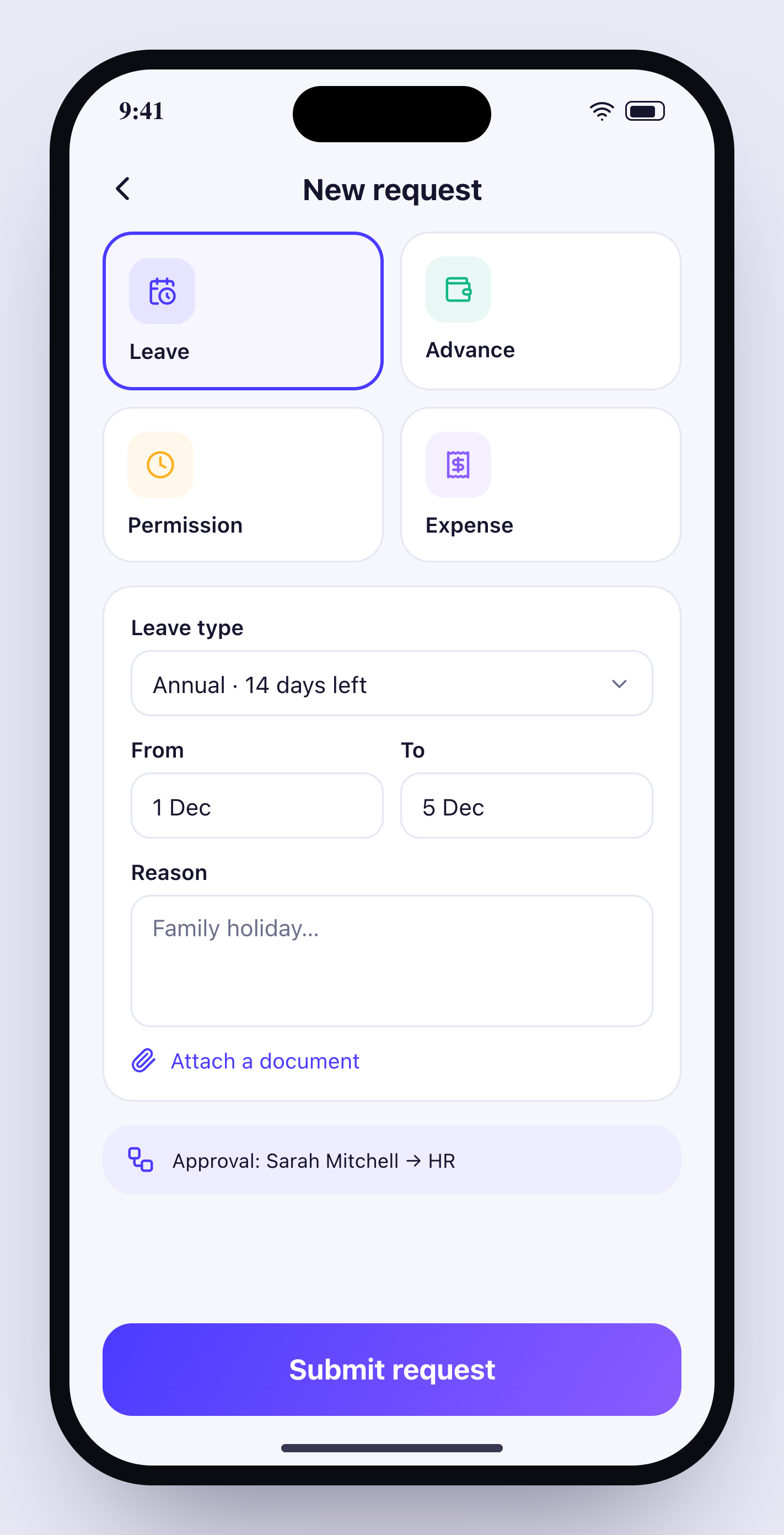
Plan shifts by week, and let employees request leave, permissions, advances, expenses and attendance fixes from their phone — approved through your own chain.
14 days free · no credit card · English & Arabic
Everything you need for shifts, leave & requests.
Weekly shift planner
Morning, evening, field and remote shifts assigned per person per day.
Leave balances
Annual, sick and unpaid leave tracked automatically per employee.
Approval chains
Manager → HR → finance, or any chain you define per request type.
Advances & expenses
Requests with amounts, attachments and instalments.
Attendance fixes
Forgot to check out? Request a fix — approved fixes update the record.
Role dashboards
Owners, managers and employees each see what matters to them.
Up and running in minutes.
Define shifts
Create shift types and assign them for the week.
Employees request
From the app in seconds, with attachments.
Approve in a tap
Each approver is notified in order.
Can I set different approval chains?+
Yes, per request type.
Do approved leaves affect attendance?+
Yes — approved leave days are excluded from absence reports.
Can employees see their balance?+
Their remaining balance is always visible in the app.
Is there a payroll module?+
Orbitra exports payroll inputs (attendance, overtime, deductions, advances) for your payroll provider.
Works even better with
- 14-day free trial
- No credit card
- Cancel any time
- 89 countries supported
Try shifts, leave & requests free.
Set up in 10 minutes. Free for 14 days.