Orbitra, on every
device your team uses.
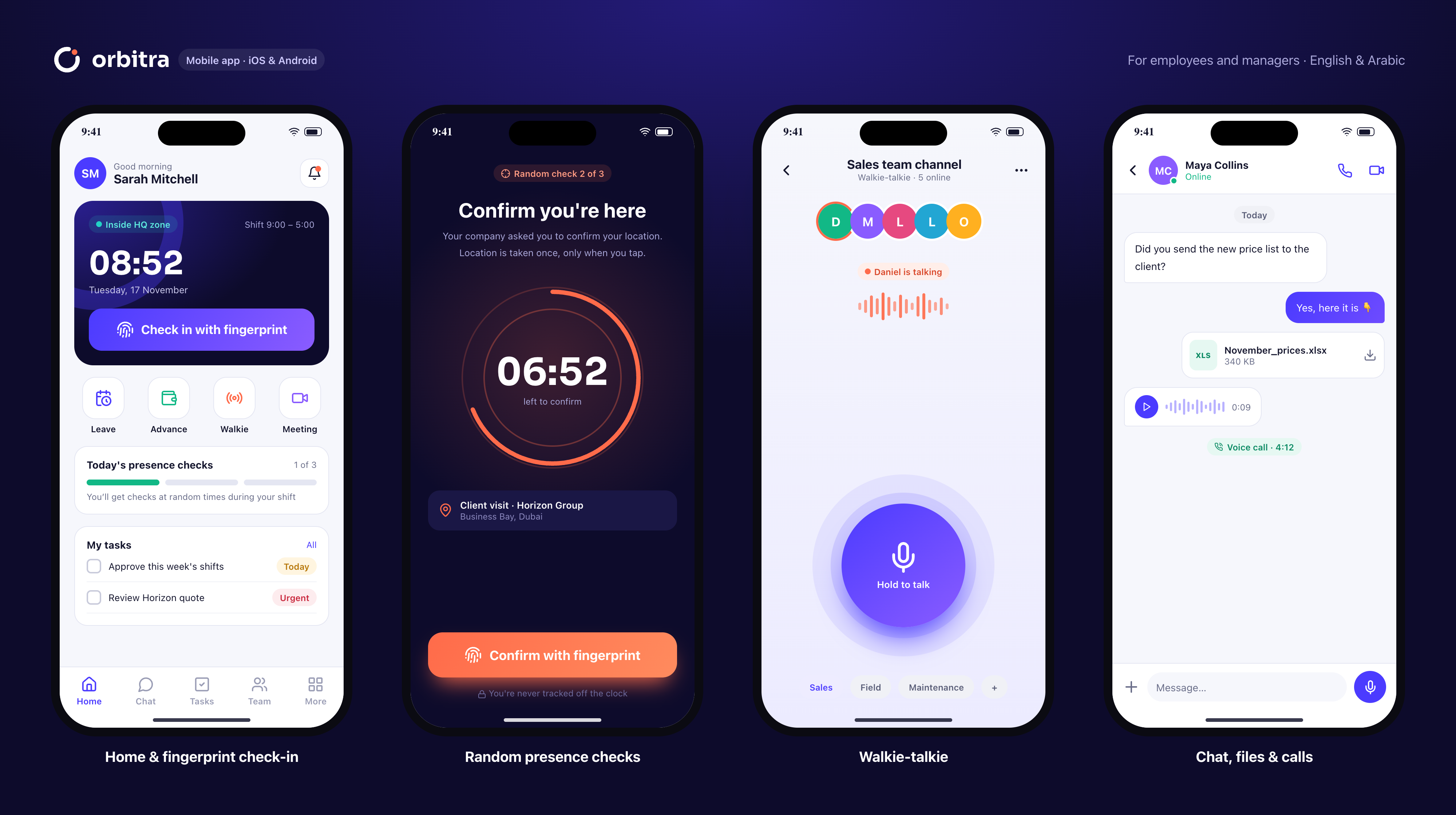
Check in with a fingerprint, answer a presence check, jump on a call or push-to-talk — from the desk or the field. One account, in English and Arabic.
Pick your platform
Fresh in this release
Installation
- 1Open Orbitra.dmg and drag Orbitra into Applications.
- 2First launch: right-click the app → Open, then confirm.
- 3Sign in with your workspace, email and password.
- 1Run Orbitra-Setup.exe and follow the installer.
- 2If SmartScreen appears, choose More info → Run anyway.
- 3Orbitra starts with Windows so you never miss a call.
- 1Install from the App Store or Google Play.
- 2Sign in, then allow notifications and location while using the app.
- 3Enable Face ID / fingerprint to bind your trusted device.
Built for work on the move
Biometric check-in
Face ID or fingerprint inside your geofence.
Walkie-talkie
Hold to talk with your channel, even with the screen locked on Android.
Instant notifications
Calls, approvals and presence checks reach you on every device.
Works offline
Check-ins and tasks sync as soon as you're back online.
Real-time sync
Start on your phone, continue on your laptop.
Secure by design
One trusted device per employee and encrypted connections.
Download FAQ
Is the Orbitra app free to download?+
Yes. The apps are free; your company's Orbitra plan covers every device your team uses.
Which devices are supported?+
macOS 12 or later (Apple silicon and Intel), Windows 10 and 11 (64-bit), iPhone and iPad on iOS 15+, Android 7+, and any modern browser.
Do I need a separate account for each device?+
No. Sign in with the same workspace, email and password everywhere. Check-in is bound to one trusted phone for security.
How do updates work?+
Mobile apps update through the App Store and Google Play. The desktop apps check for new versions when they start and offer a one-click update.
Can I install Orbitra for my whole company?+
Yes — IT teams can deploy the .dmg and .exe silently with their usual tools (Jamf, Intune, Group Policy).
Need a hand with deployment? support@orbitrahold.com
Bring your team into orbit.
Set up in 10 minutes. Free for 14 days.