Let the routine run itself.
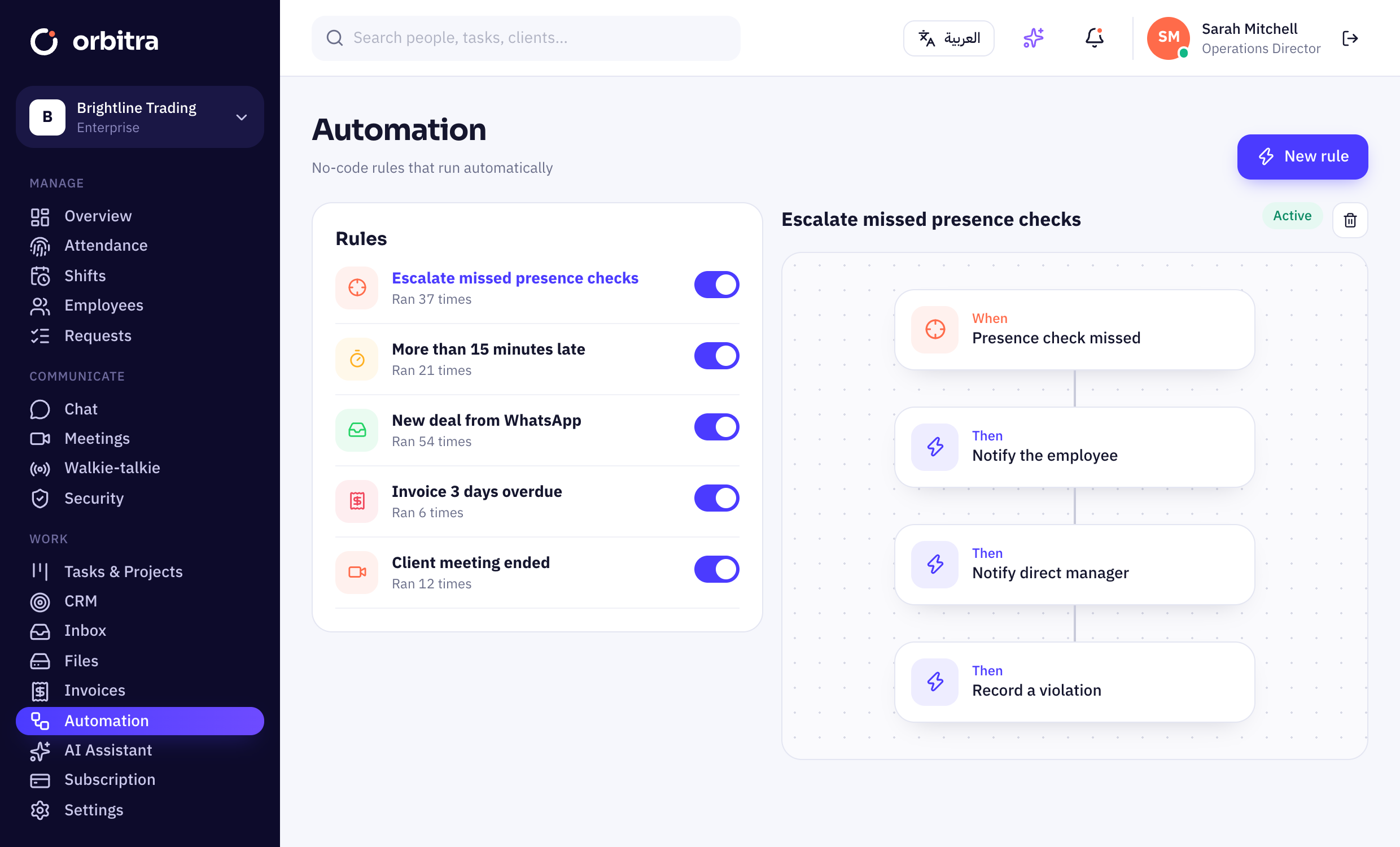
When something happens, Orbitra does the next step: notify, escalate, assign, create a task or a deal — with simple rules anyone can set up.
14 days free · no credit card · English & Arabic
Everything you need for automation.
Triggers everywhere
Late check-ins, missed presence checks, new chats, ended meetings, overdue invoices.
Useful actions
Notify users, managers or roles, create tasks or deals, assign round-robin.
Webhooks & API
Send events to your systems and build on a documented REST API.
Run history
See how often each rule fired and what it did.
Turn on, turn off
Pause any rule without deleting it.
Audited
Every automated action is written to the audit log.
Up and running in minutes.
Pick a trigger
Choose the event to react to.
Add actions
Stack one or more actions.
Switch it on
Watch it work from the run history.
Do I need to code?+
No. Rules are built from menus. Developers can use webhooks and the API for more.
Is there a limit on rules?+
No limit on rules; heavy webhook traffic is rate-limited fairly.
Can automations deduct payroll?+
They can record a violation that appears in payroll exports — the deduction policy stays yours.
Is there an API?+
Yes, a REST API with token authentication and webhooks.
Works even better with
- 14-day free trial
- No credit card
- Cancel any time
- 89 countries supported
Try automation free.
Set up in 10 minutes. Free for 14 days.