Plans that move as fast as your team.
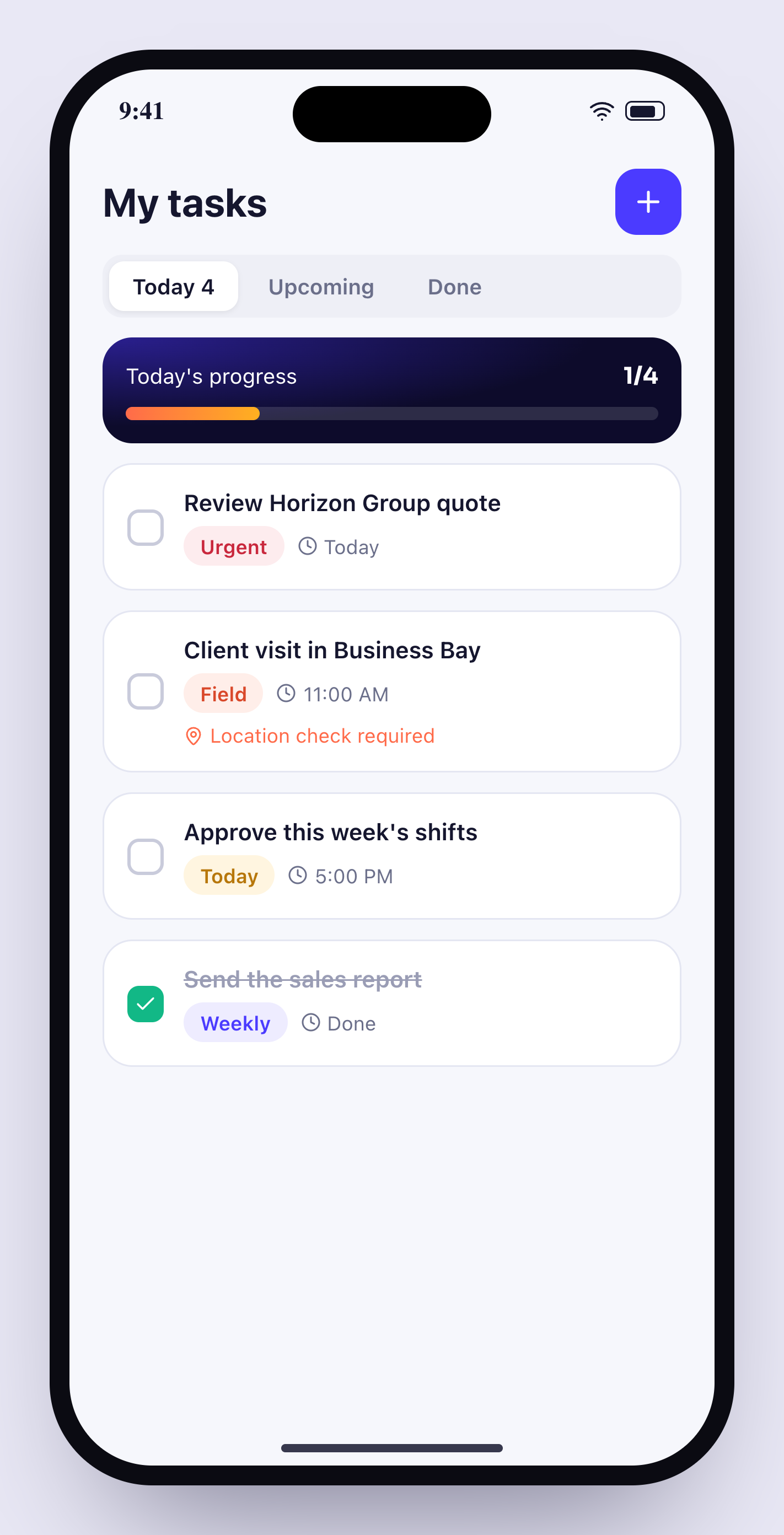
Kanban boards and lists with owners, due dates, checklists and progress — plus field tasks that are only completed when the employee is actually on site.
14 days free · no credit card · English & Arabic
Everything you need for tasks & projects.
Kanban & list views
Drag cards across To do, In progress, Review and Done — or switch to a list.
Location-verified tasks
Mark a task as on-site and it can only be completed inside that location.
Checklists & progress
Break work down and watch progress update automatically.
Multiple assignees
Share ownership, mention teammates and get notified on changes.
Linked to deals
Create follow-up tasks from a deal or a meeting summary.
My day
Each person sees today's tasks on their home screen and phone.
Up and running in minutes.
Create a project
Invite the people involved.
Plan the work
Add tasks, owners, due dates and tags.
Track & verify
Progress updates live; field tasks verify the location.
Can clients see tasks?+
No — tasks are internal to your workspace.
Can tasks be created automatically?+
Yes. Automation rules can create tasks from overdue invoices, new deals or meeting summaries.
Does it work offline?+
The mobile app shows your tasks offline and syncs updates when you reconnect.
Is there time tracking?+
Each task records time spent, which you can export with attendance.
Works even better with
- 14-day free trial
- No credit card
- Cancel any time
- 89 countries supported
Try tasks & projects free.
Set up in 10 minutes. Free for 14 days.