Orbitra everywhere your team works.
Native apps for iPhone, Android, Mac and Windows, plus the web — one account, one workspace, in English and Arabic.
14 days free · no credit card · English & Arabic
Everything you need for desktop & mobile apps.
iPhone & Android
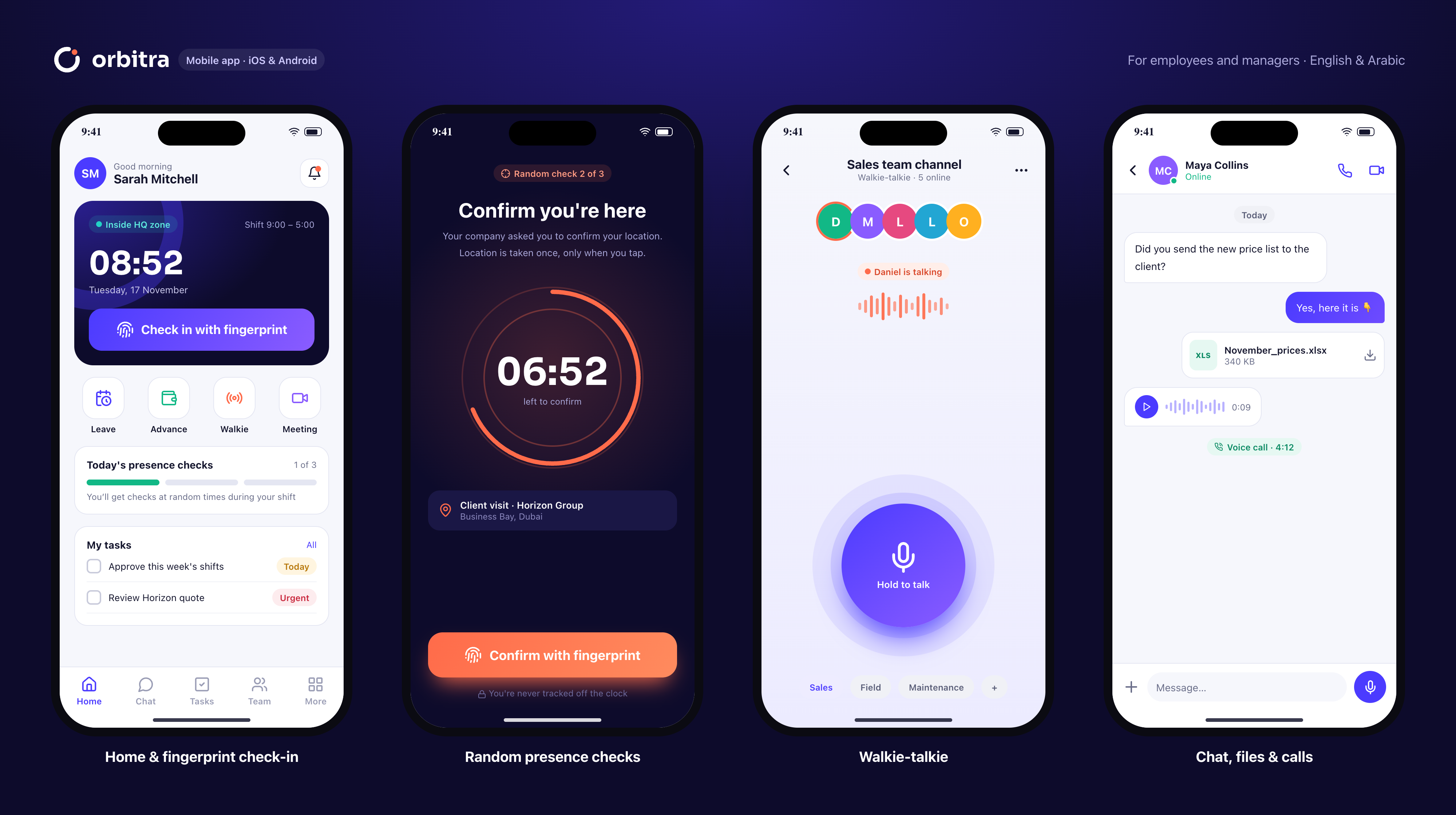
Check-in, presence checks, chat, calls, walkie-talkie, tasks and requests.
Mac & Windows
Download directly from orbitrahold.com — no store needed.
Web
Everything in any modern browser, for managers and office teams.
Real-time sync
Messages, approvals and live map update instantly on every device.
Offline-ready
Check-ins and tasks work without signal and sync later.
English & Arabic
Full right-to-left Arabic interface, switchable per user.
Up and running in minutes.
Download
From the App Store, Google Play or our download page.
Sign in
With your workspace, email and password.
Bind your device
Your phone becomes your trusted check-in device.
Which versions are supported?+
iOS 15+, Android 7+, macOS 12+, Windows 10/11 64-bit and current browsers.
Are desktop apps in the stores?+
Mac and Windows apps are downloaded directly from orbitrahold.com.
Can I use several devices?+
Yes for chat and work; check-in is bound to one trusted phone.
Is there a dark mode?+
The apps follow your system appearance.
Works even better with
- 14-day free trial
- No credit card
- Cancel any time
- 89 countries supported
Try desktop & mobile apps free.
Set up in 10 minutes. Free for 14 days.